.png)
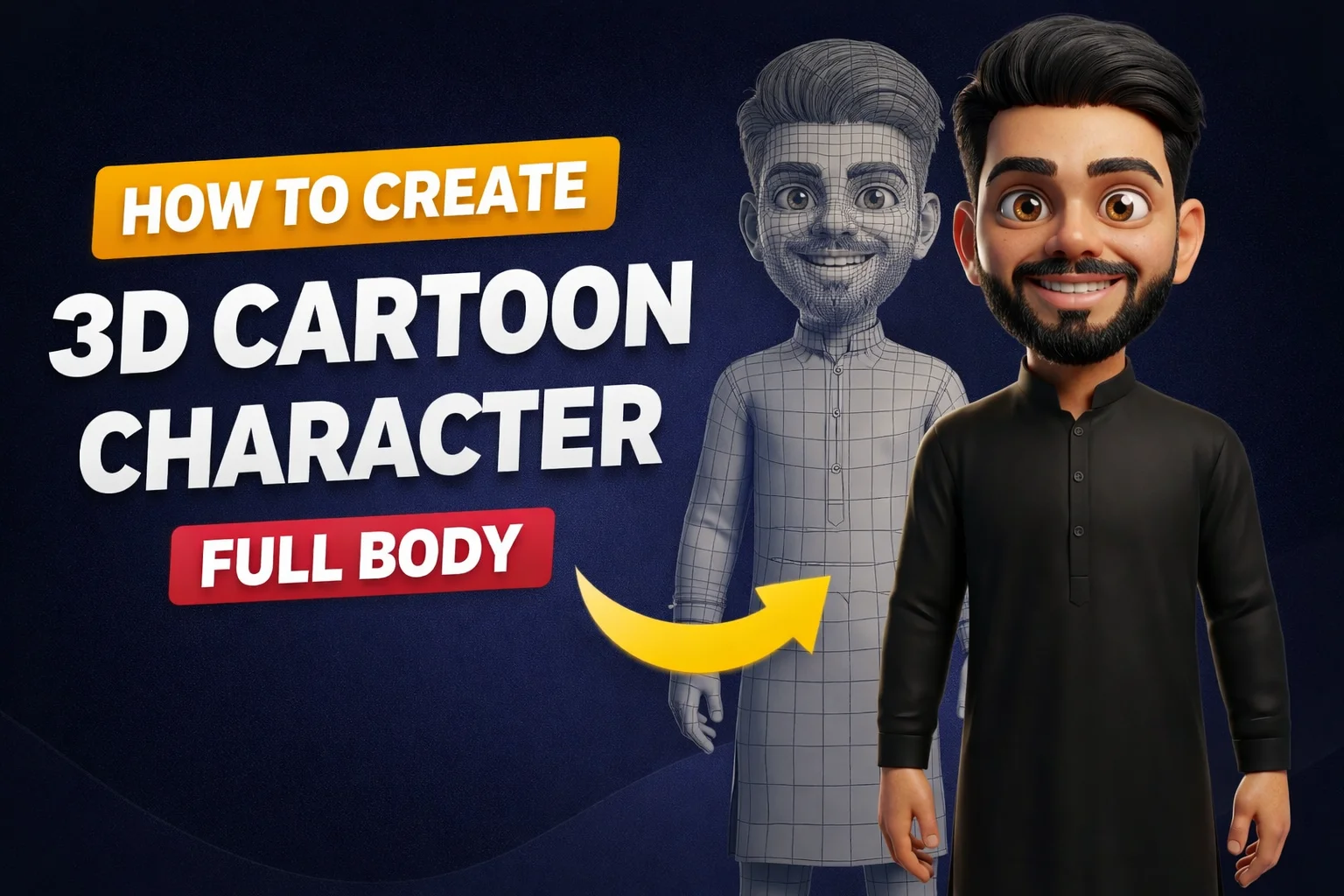

Aaj kal social media par 3D Cartoon Avatars ka trend bahut tezi se fail raha hai. Chahe Instagram ho ya LinkedIn, log apni real photos ko Pixar ya Disney style characters mein convert kar rahe hain. Agar aap bhi chahte hain ki aapki photo ek professional 3D character mein badal jaye jo bilkul aap jaisa dikhe, toh yeh prompt aapke liye perfect hai!
Is article mein hum aapko ek aisa "Master Prompt" denge jo aapki facial features, skin tone, aur style ko preserve karte hue ek premium 3D look generate karega.
Yeh Prompt Kya Karta Hai?
Yeh prompt sirf ek generic cartoon nahi banata, balki yeh Hyper-Expressive 3D Modeling par focus karta hai. Iske kuch khaas features niche diye gaye hain:
- Facial Accuracy: Aapki nose shape, beard style, aur eyebrows ko faithfully copy karta hai.
- Stylized Look: Pixar aur Illumination studios jaisa smooth aur polished finish deta hai.
- Full Body Detail: Sirf face hi nahi, balki aapke kapde, accessories (like watches, rings), aur posture ko bhi 3D mein convert karta hai.
- Cinematic Lighting: Isme studio lighting ka use kiya gaya hai taaki character bilkul real aur depth ke saath dikhe.
Note: Button unlocks automatically after reading timer ends.
How to Use: Step-by-Step Guide
Is prompt ka best result paane ke liye niche diye gaye steps follow karein:
- AI Tool Chunein: Yeh prompt Midjourney (v6), DALL-E 3 (ChatGPT Plus), ya Leonardo AI par best kaam karta hai.
- Photo Upload Karein: Sabse pehle apni ek clear, high-quality photo upload karein jisme aapka face aur body posture saaf dikh raha ho.
- Prompt Paste Karein: Upar diye gaye prompt ko copy karein aur image link ke saath paste kar dein.
- Generate: 'Enter' dabayein aur dekhein kaise AI aapko ek stunning 3D avatar mein badal deta hai.
Best Use Cases
Gaming Avatars
Apne gaming profile ke liye ek unique pehchan banayein.
Personal Branding
LinkedIn ya Twitter par ek friendly aur tech-savvy image dikhane ke liye.
Gifting
Apne doston ki photos ko cartoon mein badal kar surprise karein.
YouTube Thumbnails
Yeh avatars thumbnails mein bahut click-worthy lagte hain.
Pro Tip for Best Results
Agar aap Midjourney use kar rahe hain, toh prompt ke end mein --iw 2 zaroor likhein. Isse AI aapki original photo ki details ko zyada importance dega aur character aapke jaisa zyada dikhega. Lighting ko change karne ke liye aap "Golden Hour Lighting" keywords bhi add kar sakte hain.
Conclusion
3D cartoon characters banana ab sirf bade studios ka kaam nahi raha. Is advanced prompt ki madad se aap ghar baithe professional-grade 3D art generate kar sakte hain. Toh der kis baat ki? Apni favorite photo uthaiye aur aaj hi apna 3D avatar create kijiye!